 |
| Top > Technical-notes > VNWA > Displays the converted Impedance data as a graph. |
|
| Top > Technical-notes > VNWA > Displays the converted Impedance data as a graph. |
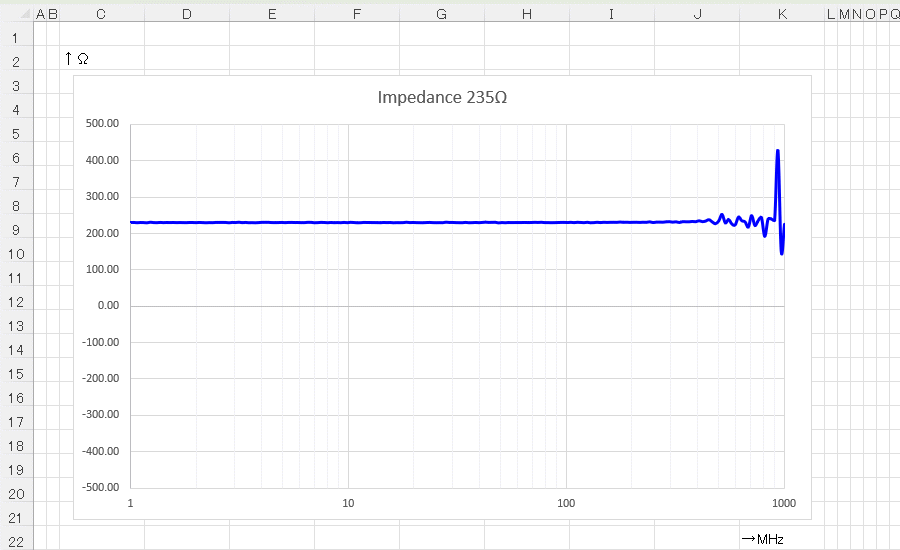
Create a frequency-impedance graph of resistor using EXCEL.
| Import the VNWA data of the frequency characteristics of the resistor into
EXCEL. Convert Resistor's VNWA-s1p data to impedance. |
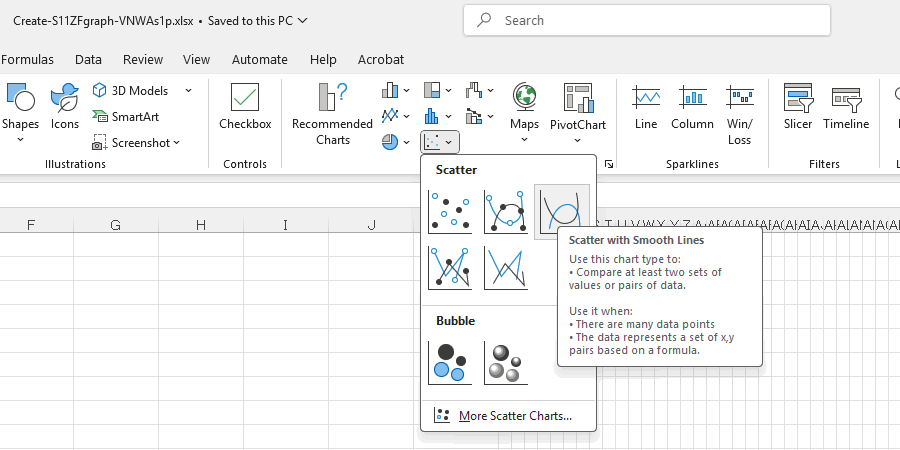
| Select the Scatter with Smooth Lines for the graph. |
 |
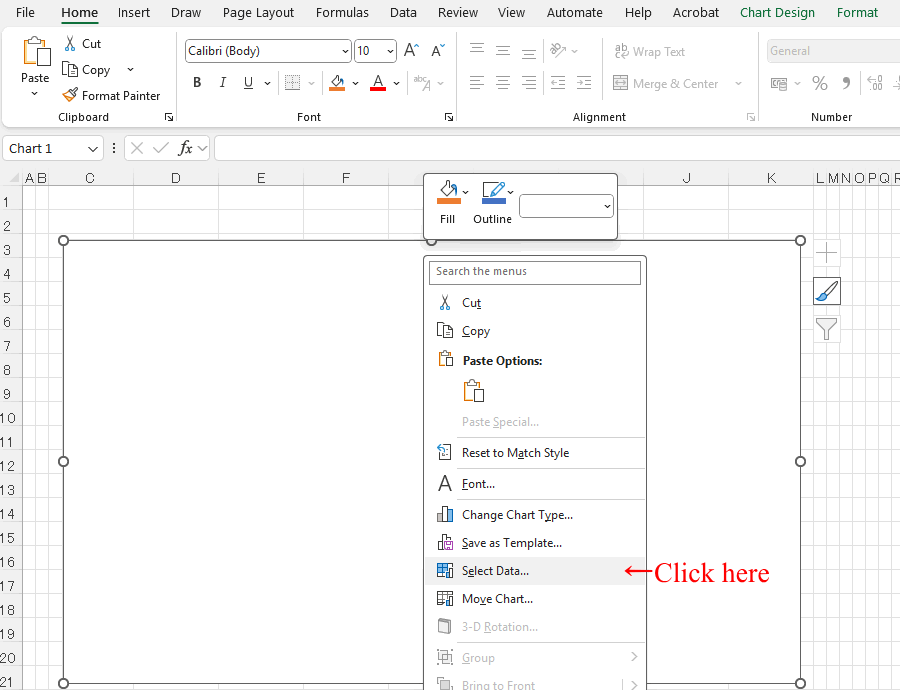
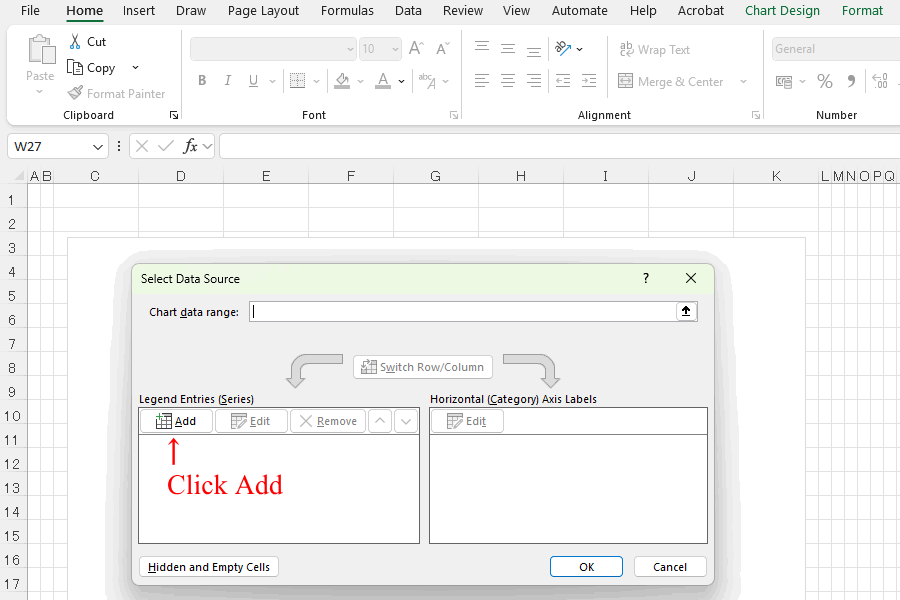
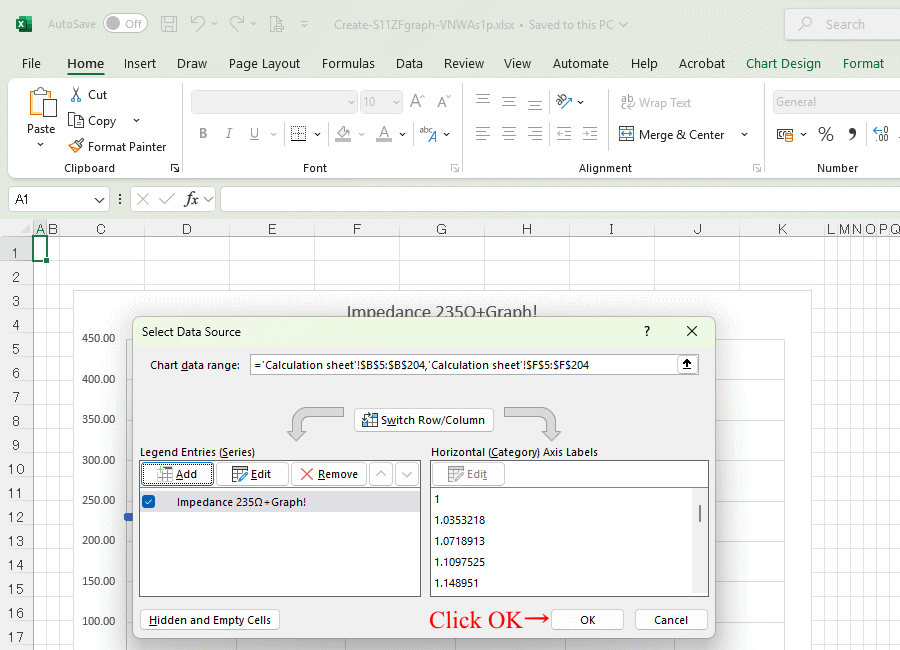
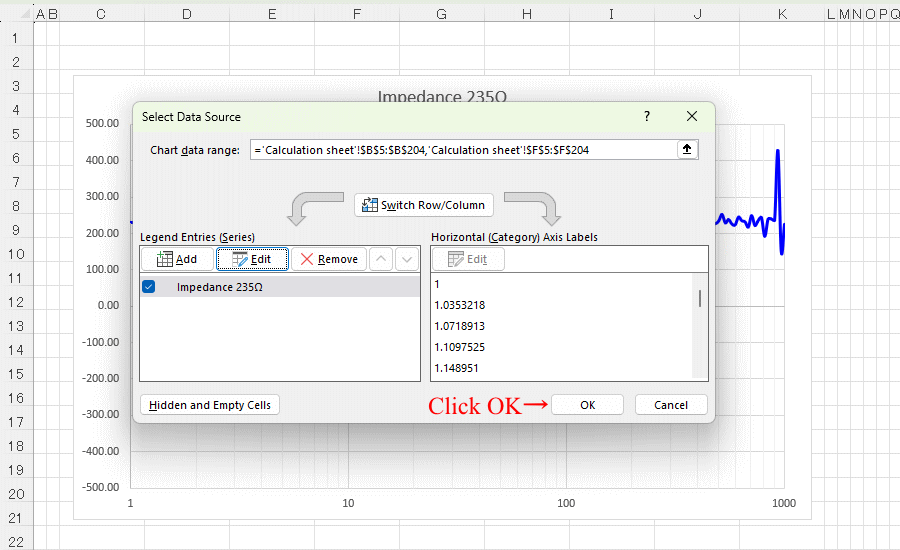
| Right-click the chart area and click Select Data. |
 |
 |
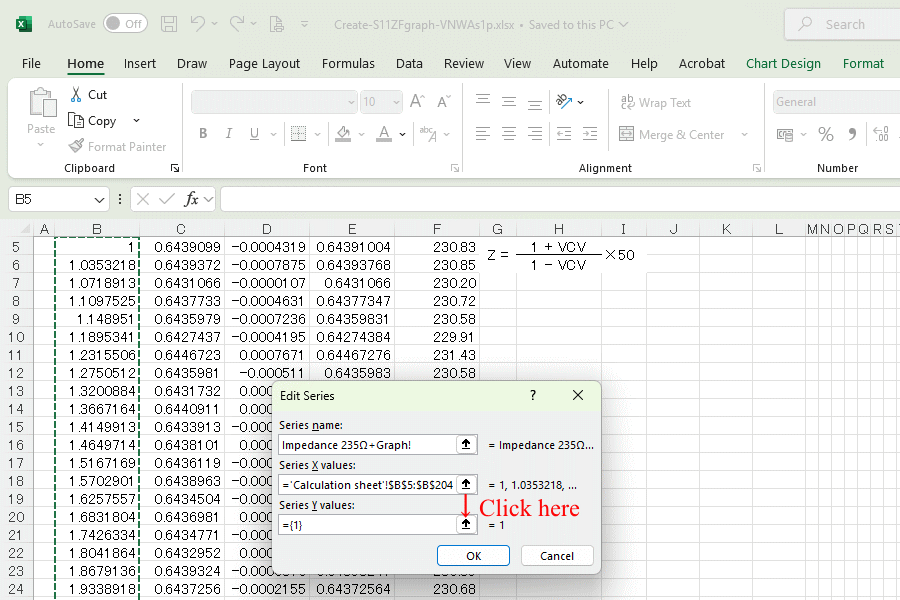
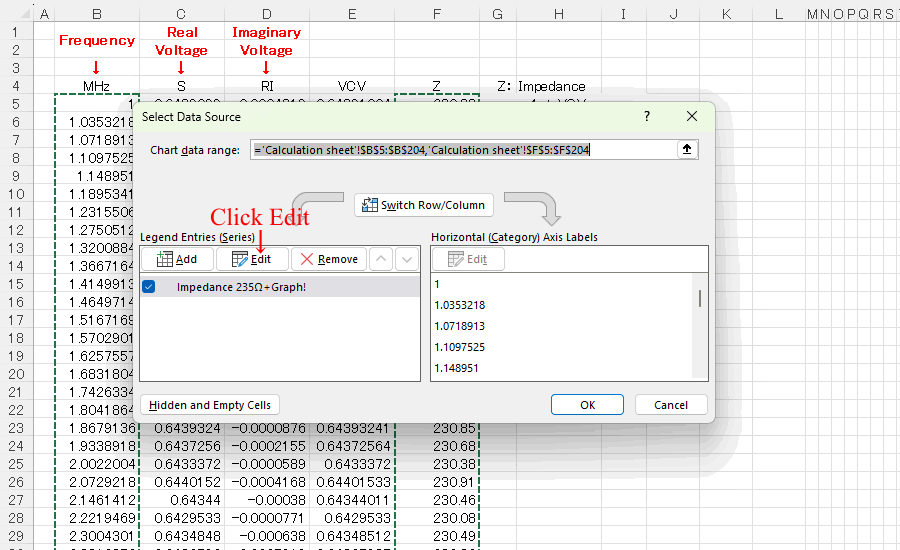
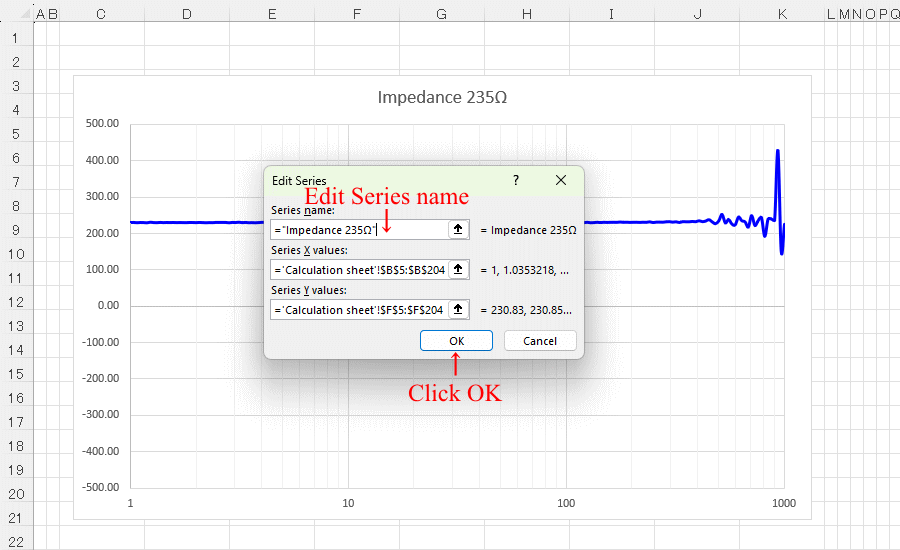
| Enter the Series name and then click the Select Range arrow. |
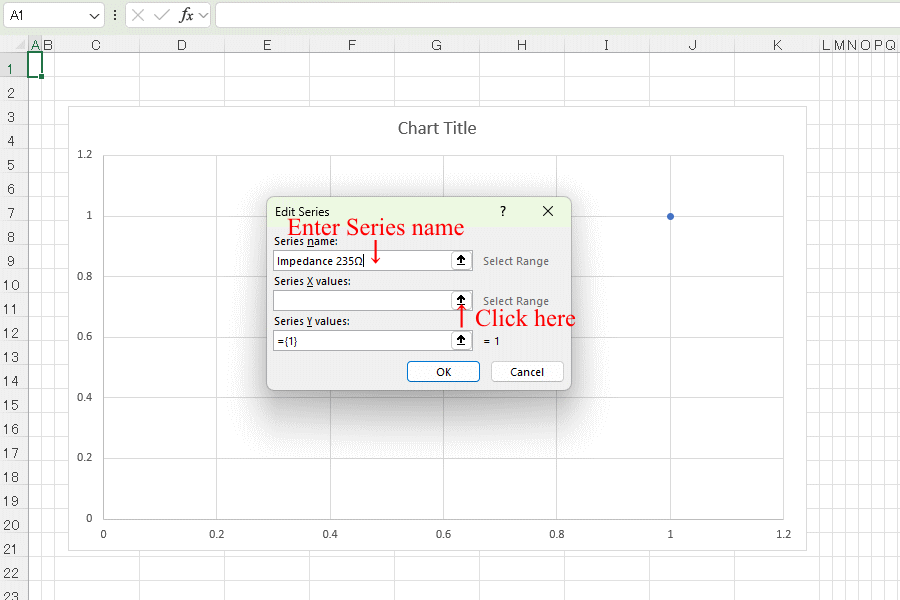 |
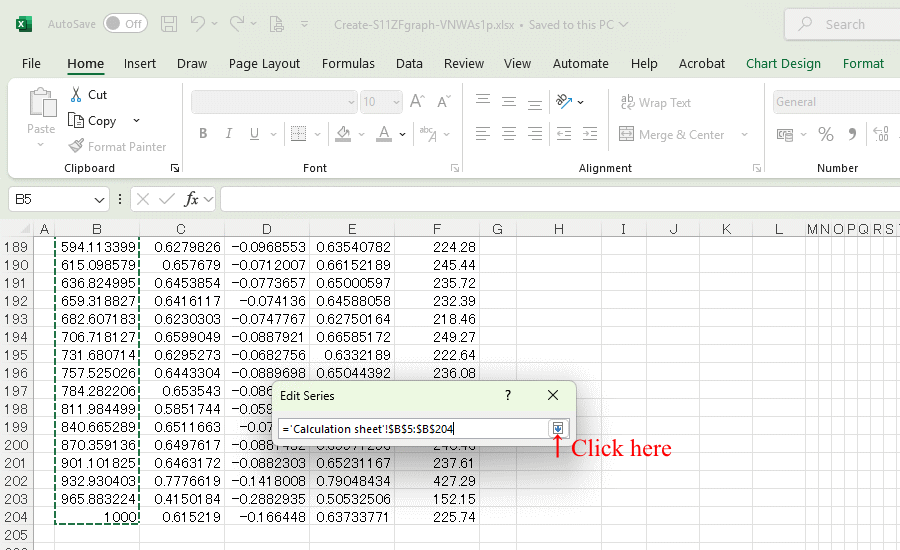
| A small window will appear; open the file or sheet containing the converted data, Select all frequency data and click the arrow. |
 |
 |
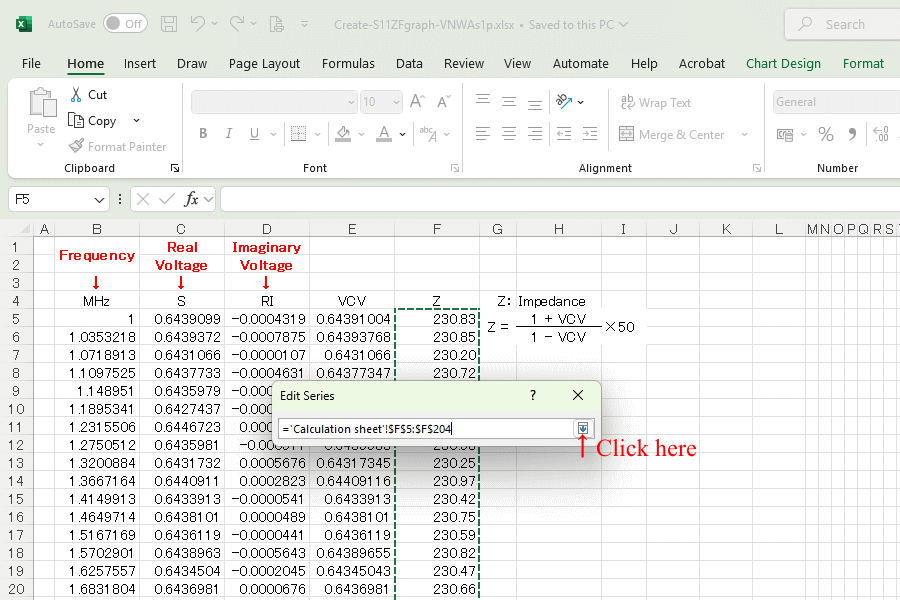
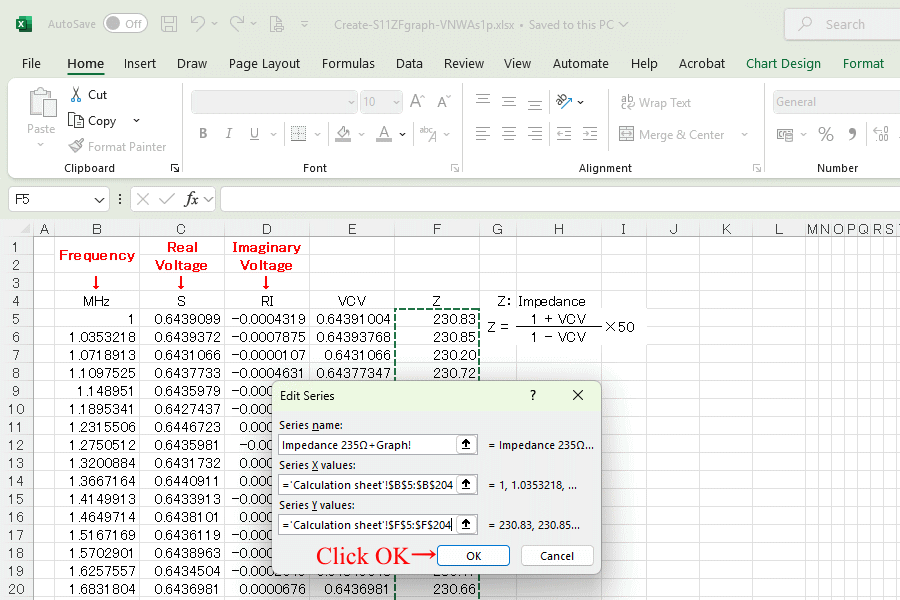
| A small window will appear; open the file or sheet containing the converted data, Select all Z data and click the arrow. |
 |
 |
 |
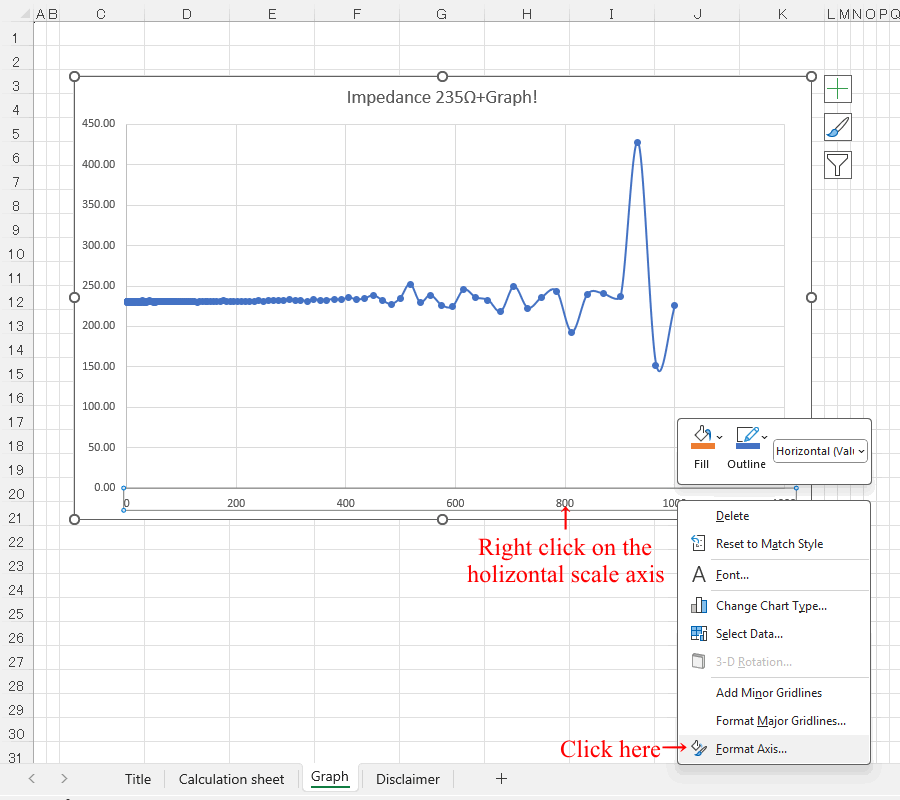
| Make graphs bigger and easier to edit, and edit by right-clicking the horizontal scale axis |
 |
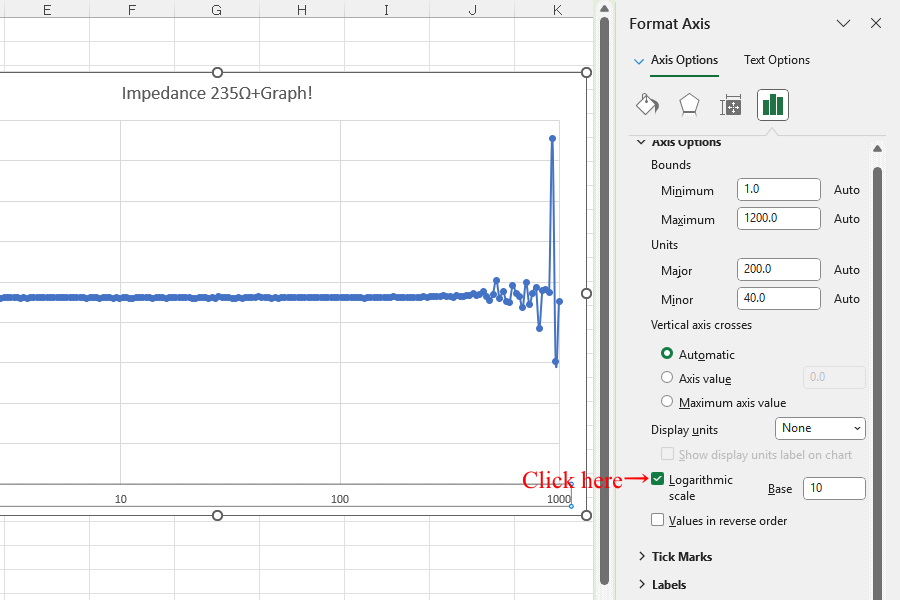
| Convert to logarithmic scale |
 |
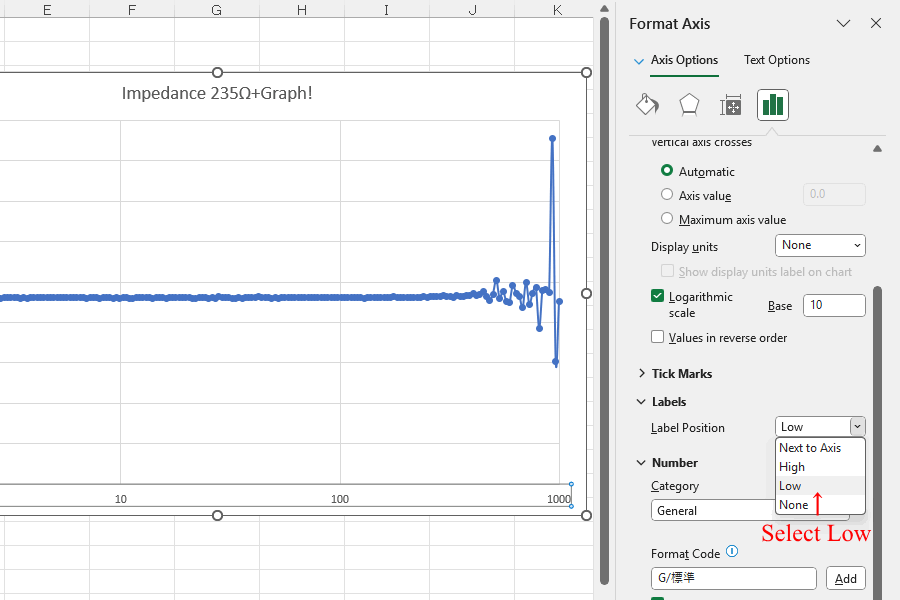
| Move the holizontal scale position |
 |
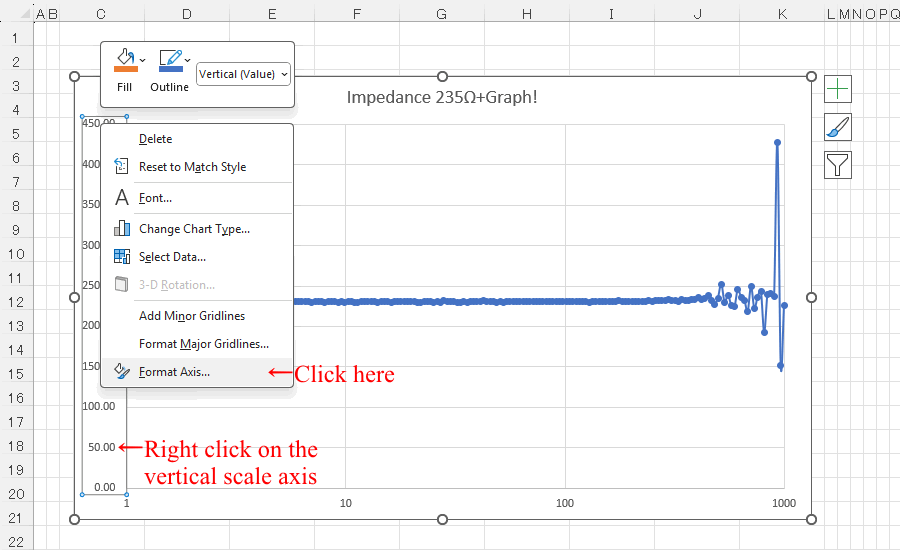
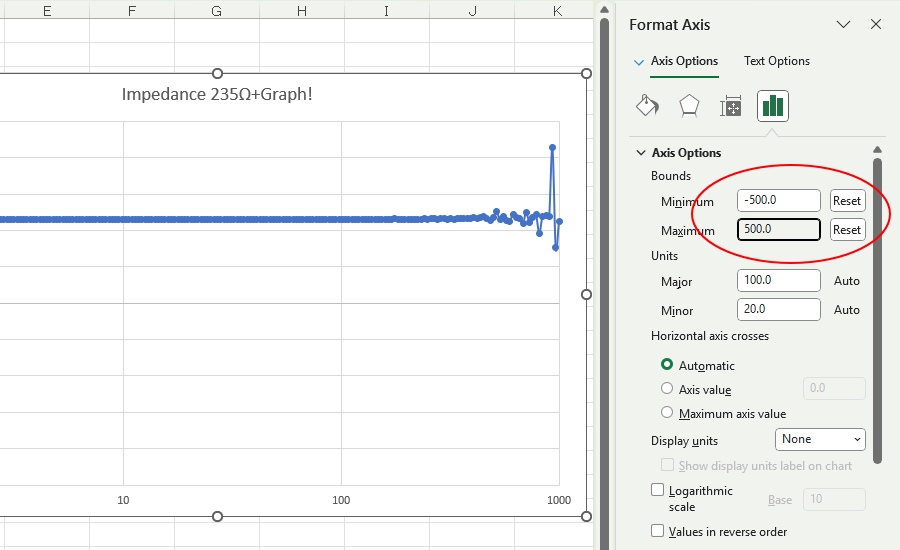
| Edit by right-clicking the vertical scale axis Change the maximum and minimum values of the scale. |
 |
 |
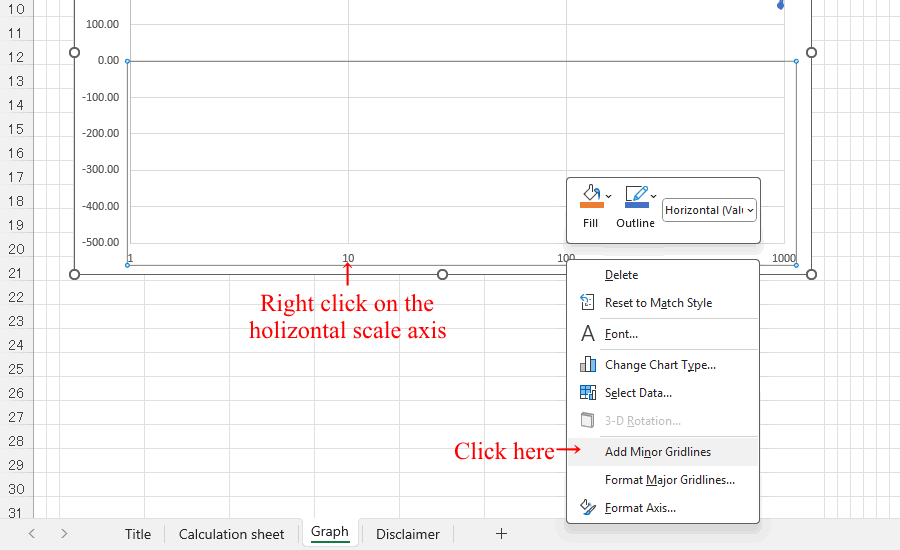
| Adds minor tick marks to the horizontal axis. |
 |
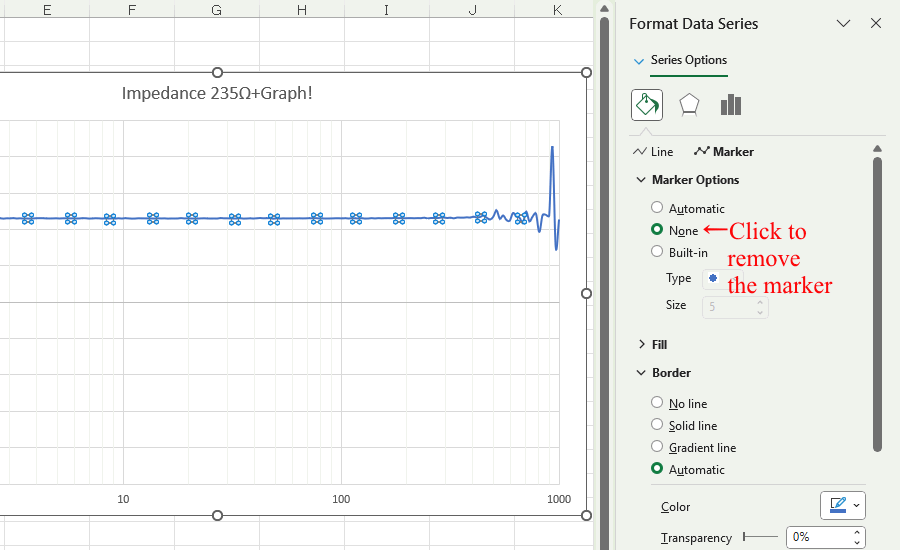
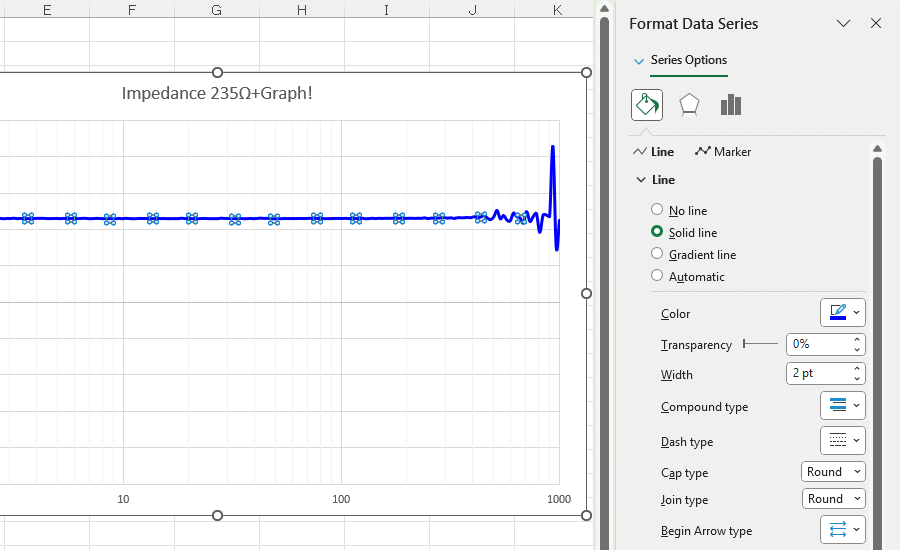
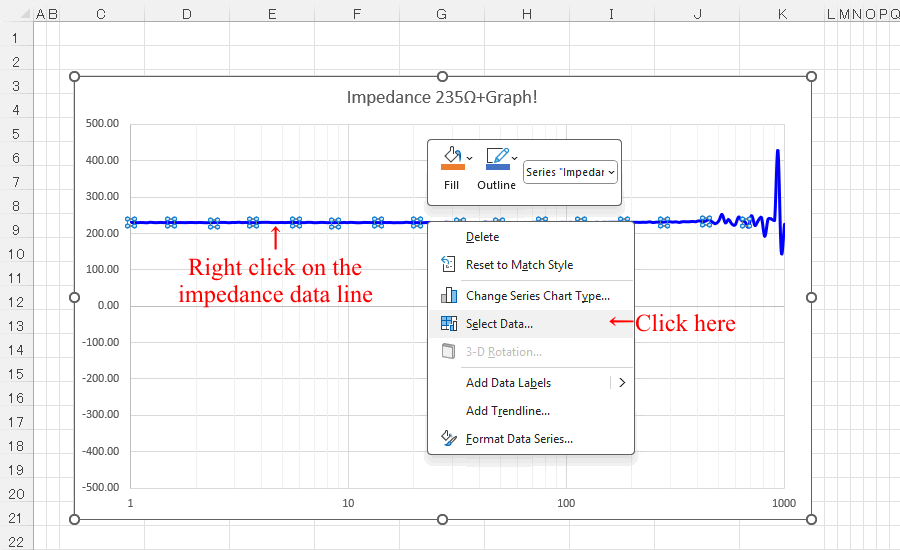
| Right-click on impedance data line to edit |
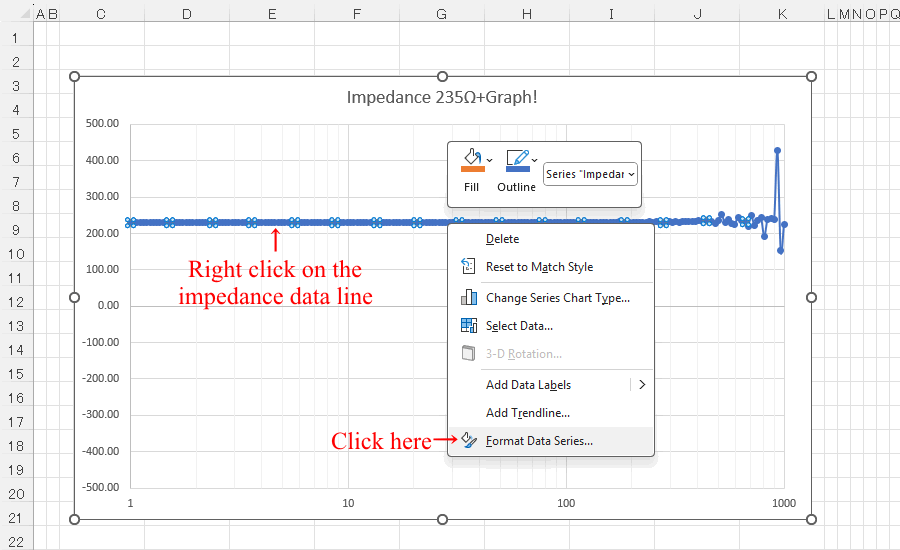 |
| Edit the data line of the graph |
 |
 |
| Right-click on impedance data line to edit graph title. |
 |
 |
 |
 |
 |
| Click here to download Create-S11ZFgraph-VNWAs1p.xlsx |
 |