Top > Technical-notes > VNWA > Import Resistor's VNWA data into EXCEL.

Import Resistor's VNWA S11data into EXCEL.

Measure and extract the S11 frequency characteristic data of the resistor as shown in the photo below.
Import the extracted data into EXCEL.
VNWA:Vector network analyzer (VNWA3E) DG8SAQ
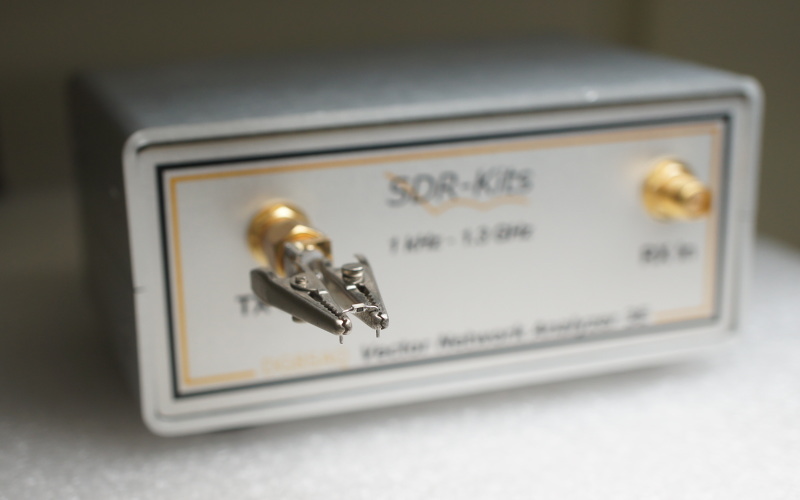
A photo of measuring the S11 characteristics of a resistor using a Vector network analyzer (VNWA3E) DG8SAQ
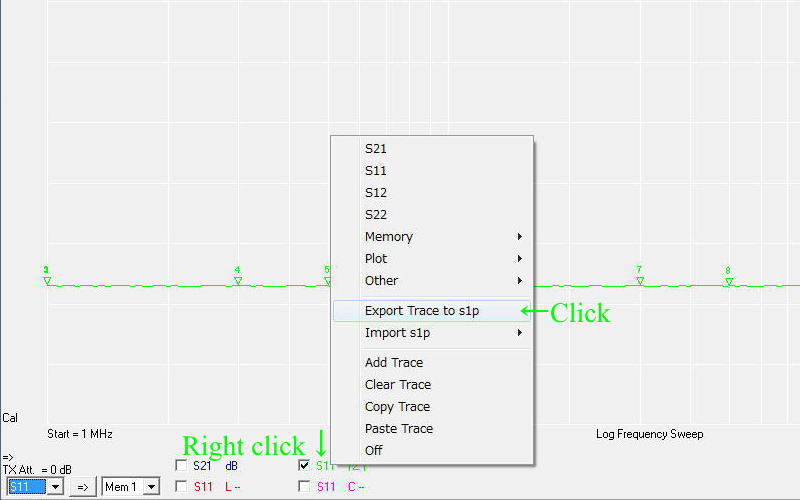
Right-click on "S11 |Z|" and a window will appear.
Click on "Export Trace to s1p".
Image explaining the procedure to measure the S11 characteristics of a resistor using the Vector Network Analyzer (VNWA3E) DG8SAQ and export the s1p data
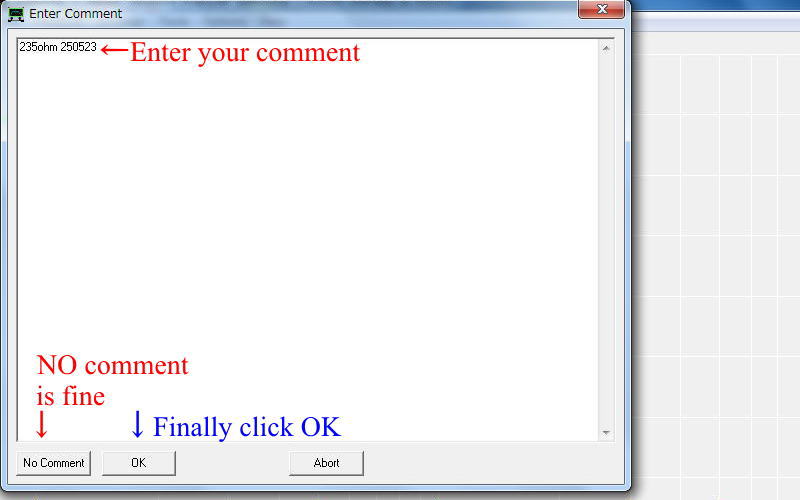
Image explaining how to write comments when measuring the S11 characteristics of a resistor with the Vector Network Analyzer (VNWA3E) DG8SAQ and exporting the s1p data
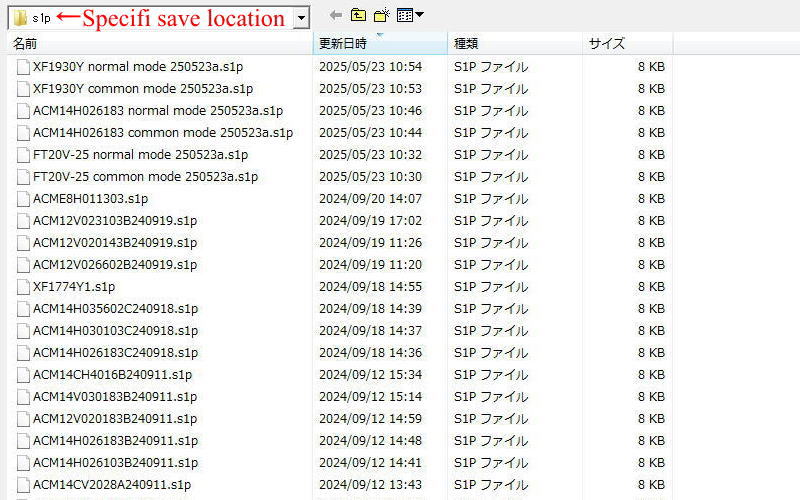
Image showing the location to save data when measuring the S11 characteristics of a resistor with the Vector Network Analyzer (VNWA3E) DG8SAQ and exporting the s1p data.
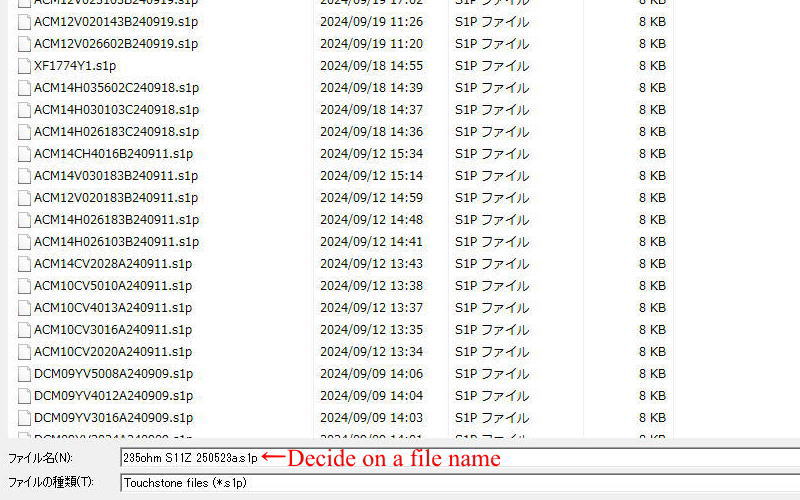
 Decide on a file name and save it.
Image showing the procedure for saving a file when measuring the S11 characteristics of a resistor with the Vector Network Analyzer (VNWA3E) DG8SAQ and exporting the S1p data.
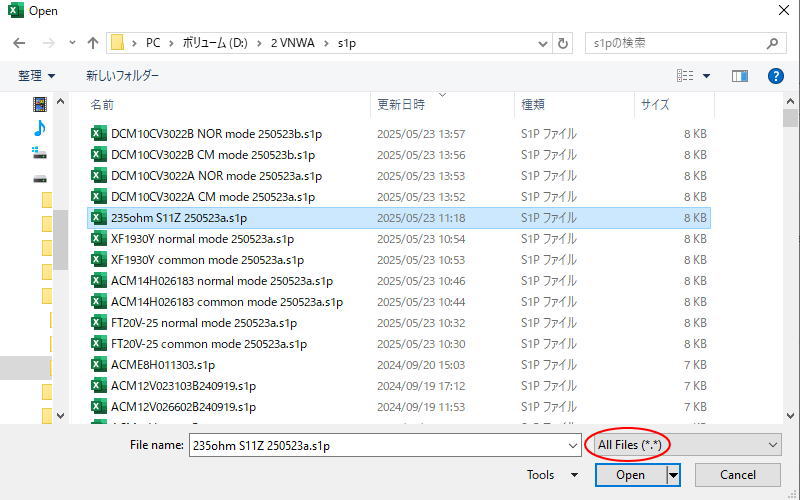
First, start EXCEL and open the file you just saved by selecting File → Open.
At that time, select all files.
Image explaining how to open a file when importing resistor S11 characteristic s1p data saved in Vector Network Analyzer (VNWA3E) DG8SAQ into Excel
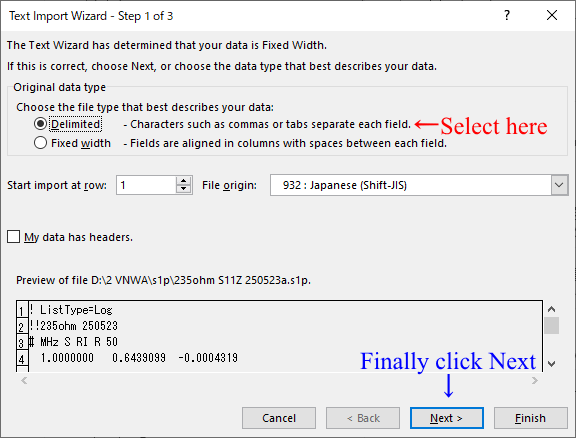
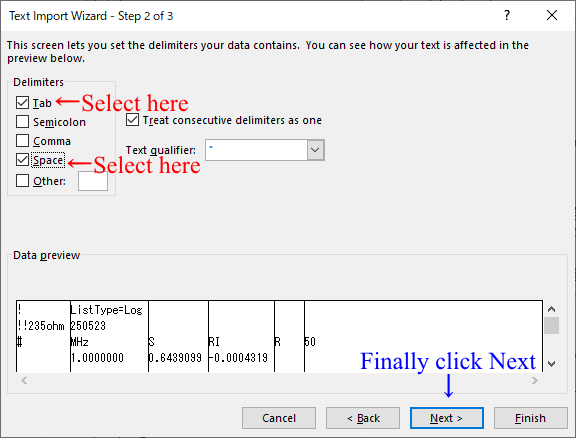
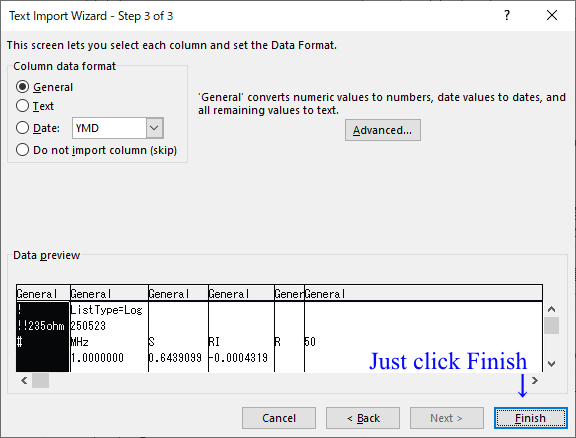
 When you open the file, a window like the one below will open, so follow the instructions in the image. 
An image explaining how to specify the file type as Delimited when importing resistor S11 characteristic s1p data saved in Vector network analyzer (VNWA3E) DG8SAQ into Excel.
This image explains how to open a file and check Tab and Space as the data separator when importing resistor S11 characteristic s1p data saved in Vector network analyzer (VNWA3E) DG8SAQ into Excel.
When importing resistor S11 characteristic s1p data saved in Vector Network Analyzer (VNWA3E) DG8SAQ into Excel, this image explains how to open the file and check General for columns and data format.
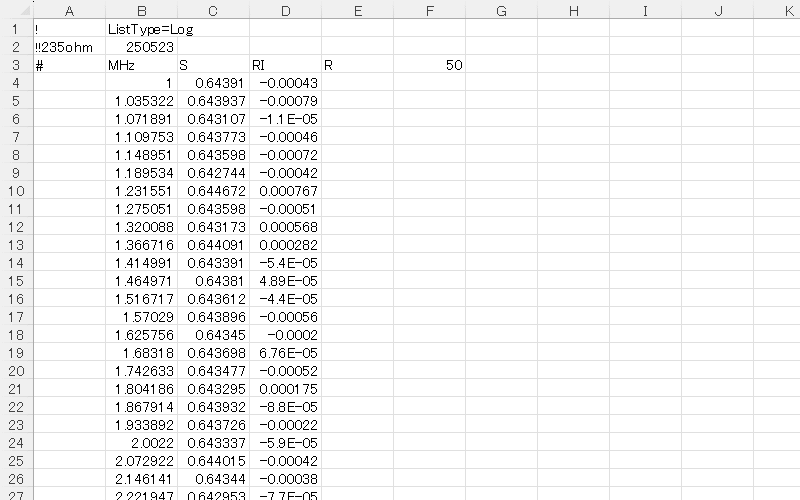
Data image of resistor S11 characteristic s1p data saved in Vector network analyzer (VNWA3E) DG8SAQ immediately after importing it into Excel
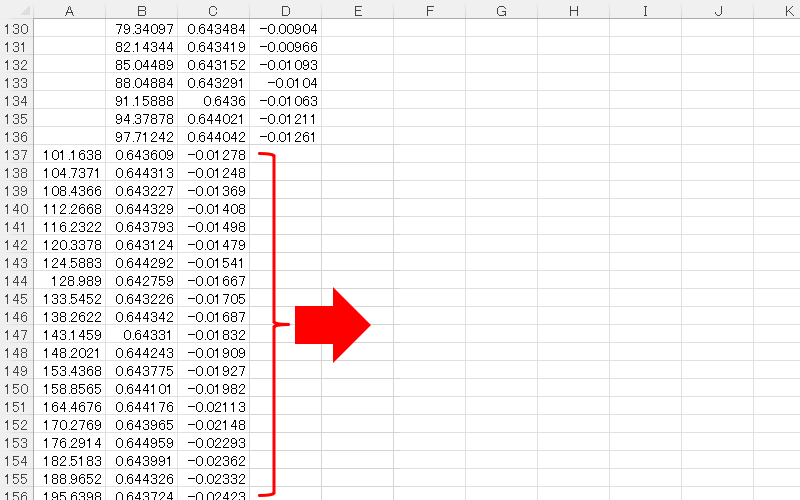
The data above 100MHz is shifted one square to the left, so we will correct it.
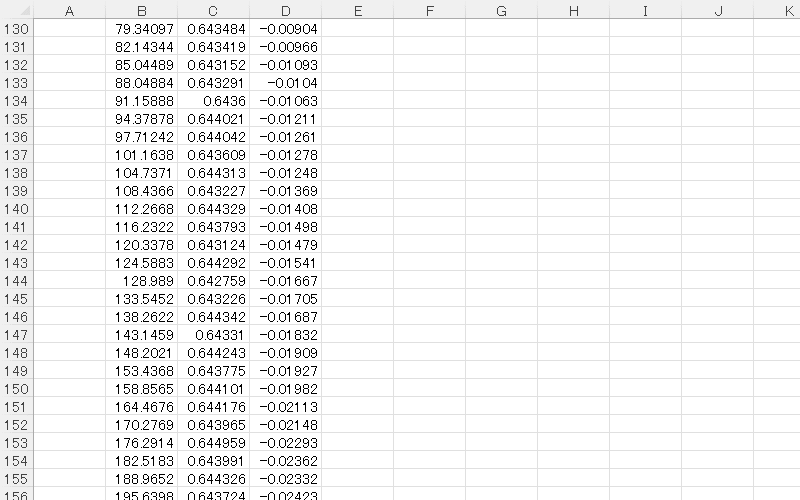
Image explaining how to move one cell to the right for data above 100MHz immediately after importing the resistor S11 characteristic s1p data saved in Vector Network Analyzer (VNWA3E) DG8SAQ into Excel
Image of resistor S11 characteristic s1p data saved by Vector network analyzer (VNWA3E) DG8SAQ imported into Excel and prepared for creating frequency characteristic graph.
Convert Resistor's VNWA-s1p data to impedance.
Displays the converted Impedance data as a graph.

© SMPS Solution