Top > Technical-notes > VNWA > Convert Line-Filter's VNWA-s1p data to dB and impedance.

Convert Line-Filter's VNWA-s1p data to dB and impedance.

Explanation of how to calculate dB and impedance from extracted VNWA s1p data.
Import Line-Filter's VNWA data into EXCEL.
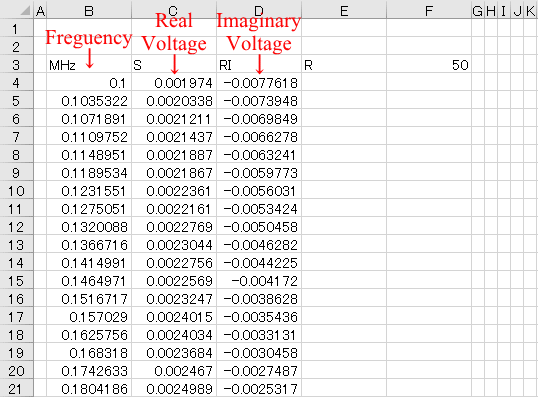
Explanation about extracted s1p data.
 This image is a spreadsheet created by measuring the S21 of a common mode filter using a vector network analyzer (VNWA3E) DG8SAQ, then importing the S1p data into Excel to create a frequency response graph.
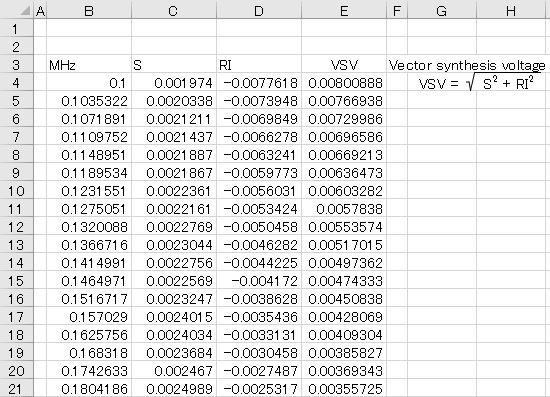
This image shows how to measure the S21 of a common mode filter with a vector network analyzer (VNWA3E) DG8SAQ, then import the S1p data into Excel to calculate the vector resultant voltage.
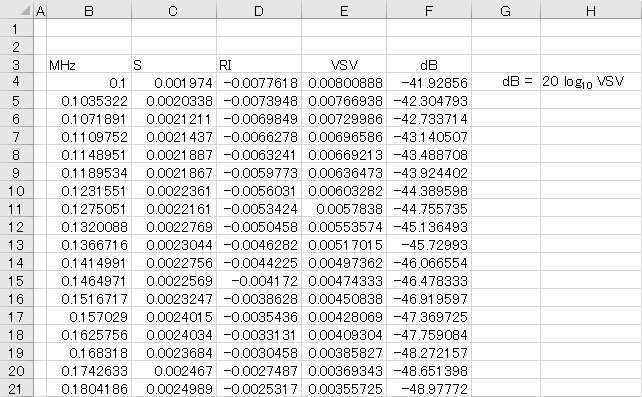
This image shows how to measure the S21 of a common mode filter using a vector network analyzer (VNWA3E) DG8SAQ, then import the S1p data into Excel to calculate decibels from the vector resultant voltage.
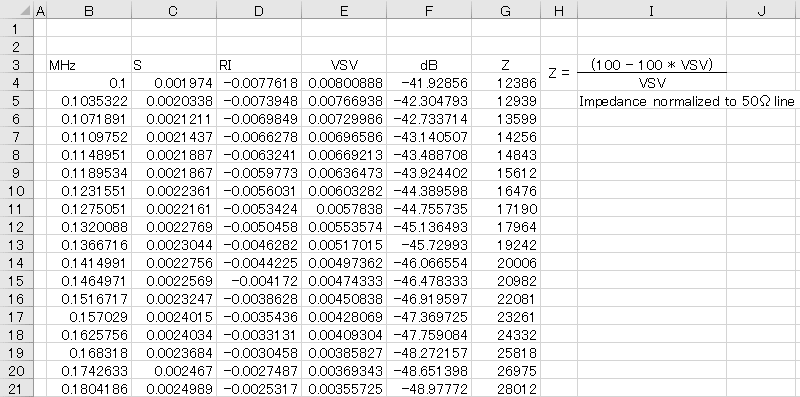
This image shows how to measure the S21 of a common mode filter with a Vector Network Analyzer (VNWA3E) DG8SAQ, then import the S1p data into Excel to calculate impedance from the vector resultant voltage.
Displays the converted Line-Filter dB data as a graph.
Displays the converted Line-Filter impedance data as a graph.
How to use Create-dB&Zgraph-from-VNWAs1p calculation sheet.
Click here to download CalculateGraph-dBZ-from-VNWAs1p.xlsx
 

© SMPS Solution